









.webp)




.webp)





.svg)
What is a complete meeting summary template?
A complete meeting summary is a governance-grade record. It's a formal account of what happened in a board meeting, an executive committee, a leadership offsite, or any session where the record needs to be comprehensive and formatted.
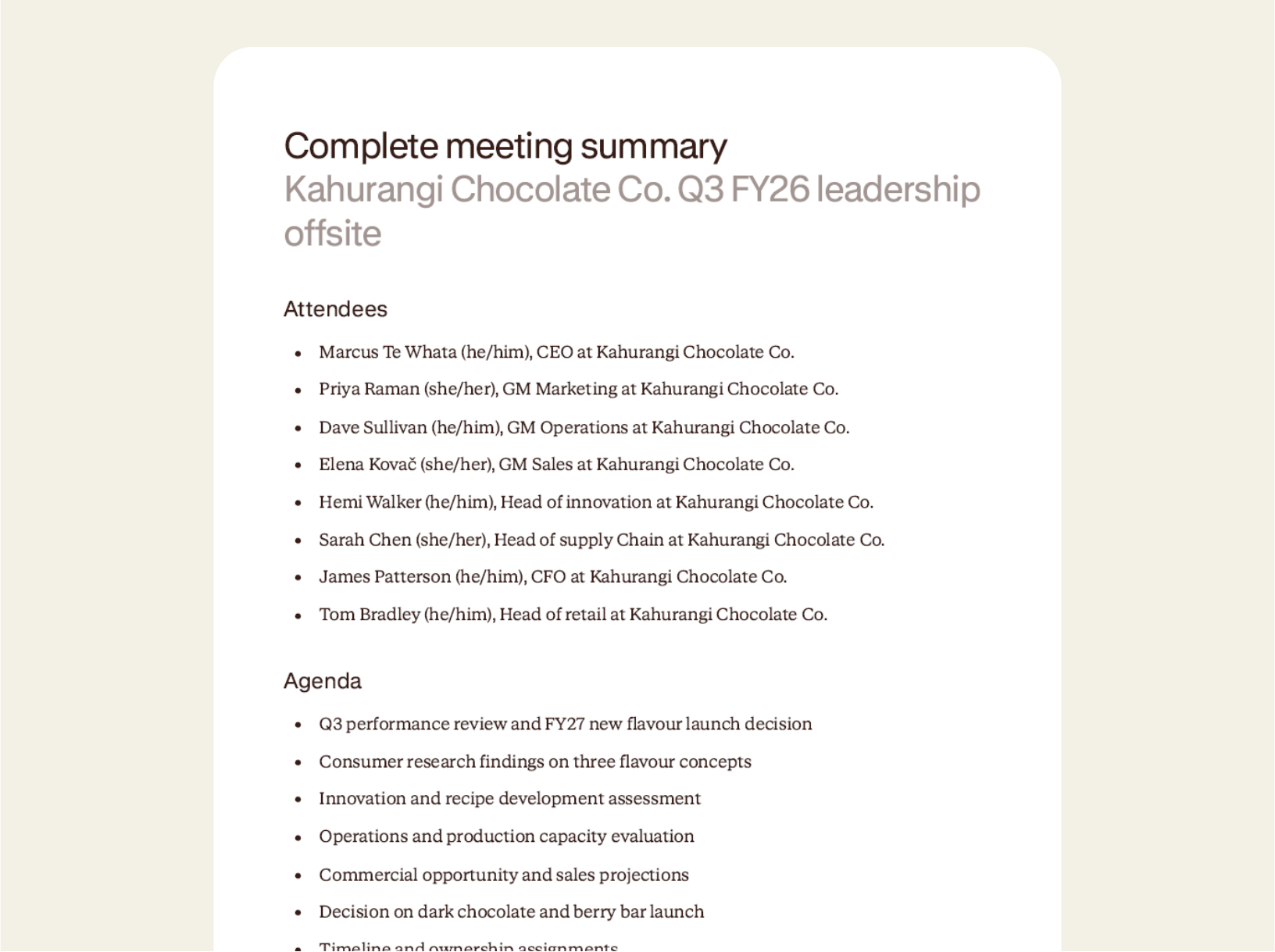
The complete meeting summary includes attendees, the agenda, discussion items, decisions captured with conditions, ownership assignments distributed, and numbered next steps. It usually takes hours to produce post-meeting, often by someone who has to painstakingly listen back to the recording.
Contented produces the complete summary directly from the recording, with the specificity and structure a formal governance record requires.
How to use a complete meeting summary template
Record your meeting in the Contented app, pick the complete meeting summary template, and download a comprehensive governance-grade record within minutes.
1. Record your conversation
Capture the meeting in the Contented app. It's built to accurately capture details in big rooms with lots of speakers.
2. Select the complete meeting summary template
Choose complete meeting summary from your Contented workspace. Contented works through the recording and produces the record within minutes. The document will include attendees with full titles and pronouns, agenda items, discussion items developed in depth, formal decision framework, ownership assignments, action points, and additional notes.
3. Review and export
Download as PDF or Word. File it as the formal record of the meeting, distribute to attendees, include in board packs, or use it as the foundation document for the next strategic review.
Who uses a complete meeting summary template?
Anyone running a formal meeting where the record needs to be comprehensive enough to stand as the official account.
A few examples:
- Leadership teams running offsites or quarterly reviews.
- Boards and governance committees, where the formal record needs to capture decisions, conditions, and accountability assignments to a recognisable standard.
- Executive committees and operating committees.
- Strategy and planning sessions.
- Major customer or supplier reviews in regulated industries, where the meeting record forms part of the relationship file.
What's in a complete meeting summary template?
- Attendees section listing full names, pronouns, titles, and organisations, in the conventions used for formal governance documentation.
- Agenda section listing each item discussed in the order they appeared.
- Discussion items section developing each agenda item in depth, with sub-bullets capturing the specific figures, quotes, and considerations raised under each one.
- Decision framework section formally capturing decisions made, with any conditions attached.
- Ownership assignments section distributing accountability for each commitment, with named owners and scope.
- Numbered next steps with owners and deadlines.
- Additional notes capturing context, business background, side comments, or anything raised that wasn't part of the formal agenda.
- Export-ready as PDF or Word.
FAQs
Can we use our own document templates?
Yes, on team plans. We build custom templates that match your organisation's existing formats, branding and terminology. Every document Contented produces is then consistent with what your team already uses, regardless of who created it.
Can I record in-person meetings, not just video calls?
Yes. The Contented app lets you record any conversation directly from your phone or computer. No bots needed in the meeting. It also works offline, so you can capture meetings in locations without reliable signal and the recording will upload automatically when you're back online.
How does AI meeting documentation work in Contented?
Record your conversation using the Contented app. The recording is transcribed, securely processed and synced to your Contented workspace, where you can turn it into documents, charts, analysis and more. Download as Word, PDF or CSV, share with your team and clients, or file for records.