









.webp)




.webp)





What is a concise meeting summary template?
You finish a meeting full of useful information and decisions, and then you've got 20 minutes before the next meeting to summarise what happened and share it. If your notes aren't complete, or you don't get to them for a couple of days, half the numbers have slipped, you can't quite remember who agreed to chase the supplier, and someone definitely said something important about the timeline that's now gone.
A concise meeting summary is the cleaned-up version of what most people try to pull together after the fact. It includes every topic, decision and action item listed with the owner against it.
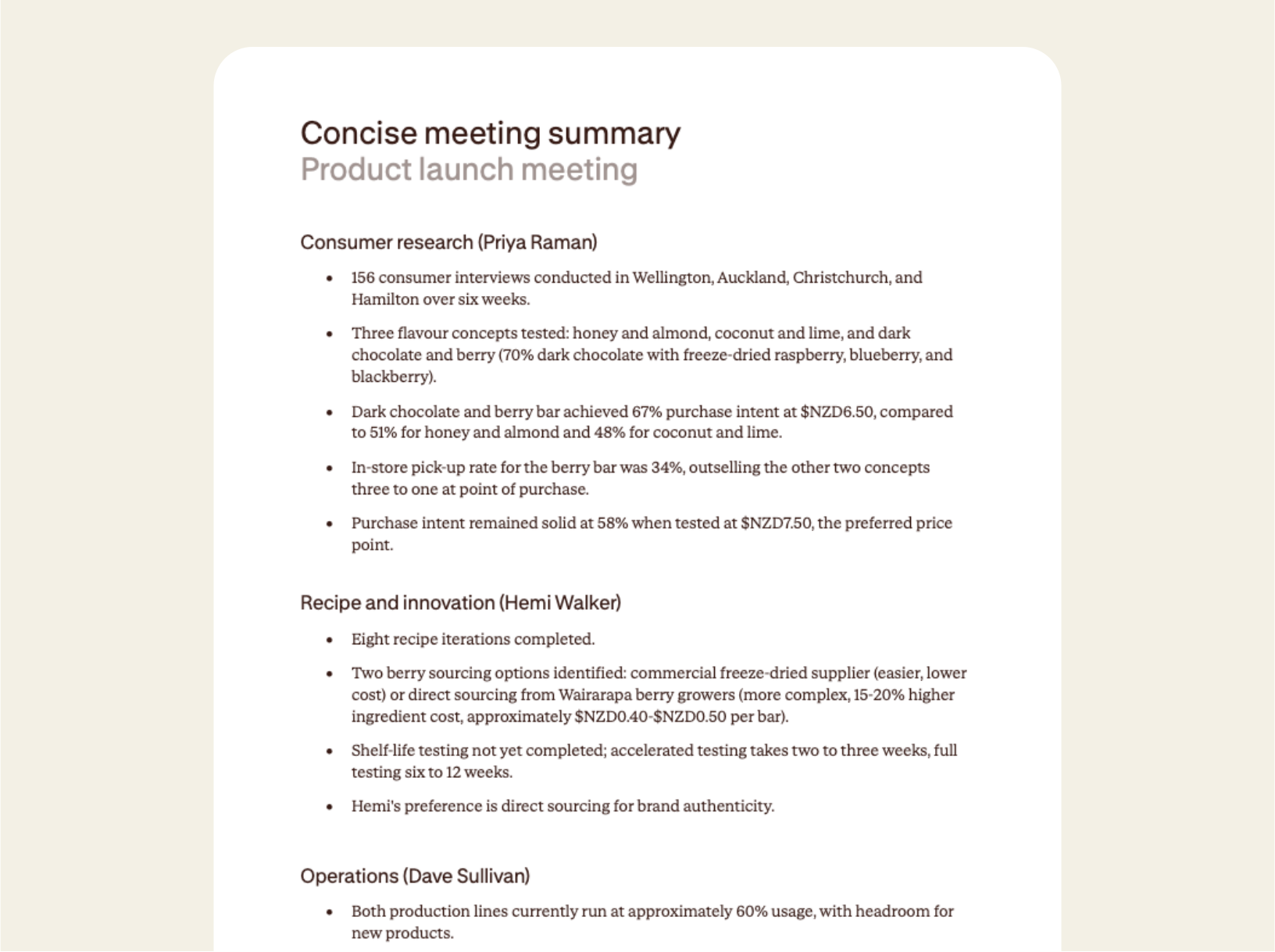
Contented assembles a concise meeting summary in moments, straight from the recording, organised by topic, with names, numbers, and dates.
How to use a concise meeting summary template
Record your meeting in the Contented app, pick the concise meeting summary template, and download a structured recap within minutes.
1. Record your conversation
Capture your meeting in the Contented app. It handles team standups, client calls, leadership reviews, planning sessions, or any conversation where someone needs to know about the outcomes later.
2. Select the concise meeting summary template
Choose concise meeting summary from your Contented workspace. Contented works through the recording and structures it into a clean bulleted recap, organised by topic or contributor, with a separate block of action items. There's also a final notes section for headline decisions and anything that still needs flagging.
3. Review and export
Download as PDF or Word within minutes of the meeting wrapping up. Forward it on, drop it into Slack, or paste it into your project tool.
Who uses a concise meeting summary?
Anyone who finishes a meeting and immediately has to brief other people or make a record of what happened.
A few examples:
- Project managers wrapping up sprint planning or steering committee sessions.
- Account managers after client calls who need to confirm what was discussed and what happens next.
- Leadership teams briefing the rest of the company after strategic sessions.
- Agency leads sending workshop recaps to clients who couldn't attend.
- Board secretaries circulating a quick read-out before the meeting outcomes are signed off.
- Remote teams across time zones, where a clean recap saves a follow-up call.
What's in a concise meeting summary?
- A bulleted recap of every topic discussed, grouped by theme or contributor so it's easy to scan.
- Numbers, dates and names kept verbatim from the conversation.
- A separate key actions block with owner and deadline against each item.
- A final notes section covering headline decisions, conditions attached to approvals, and anything that still needs chasing.
- Export-ready as PDF or Word.
FAQs
Can I share meeting notes and documents with my team?
Yes. You can share conversations directly with individual team members or groups within your workspace. Recipients can view the conversation and generate their own documents and insights from it. You can also share with full permission, so others can edit and manage the recording. What you create can be downloaded to share as a document or CSV.
Can we use our own document templates?
Yes, on team plans. We build custom templates that match your organisation's existing formats, branding and terminology. Every document Contented produces is then consistent with what your team already uses, regardless of who created it.
How does Contented pricing work?
Contented is priced by team, not by seat. We don't believe in per-user pricing because it limits who in your business gets to use the tool. Our team plans give everyone in your organisation access, and include custom templates and branding.