









.webp)




.webp)





.svg)
What is a quotes template?
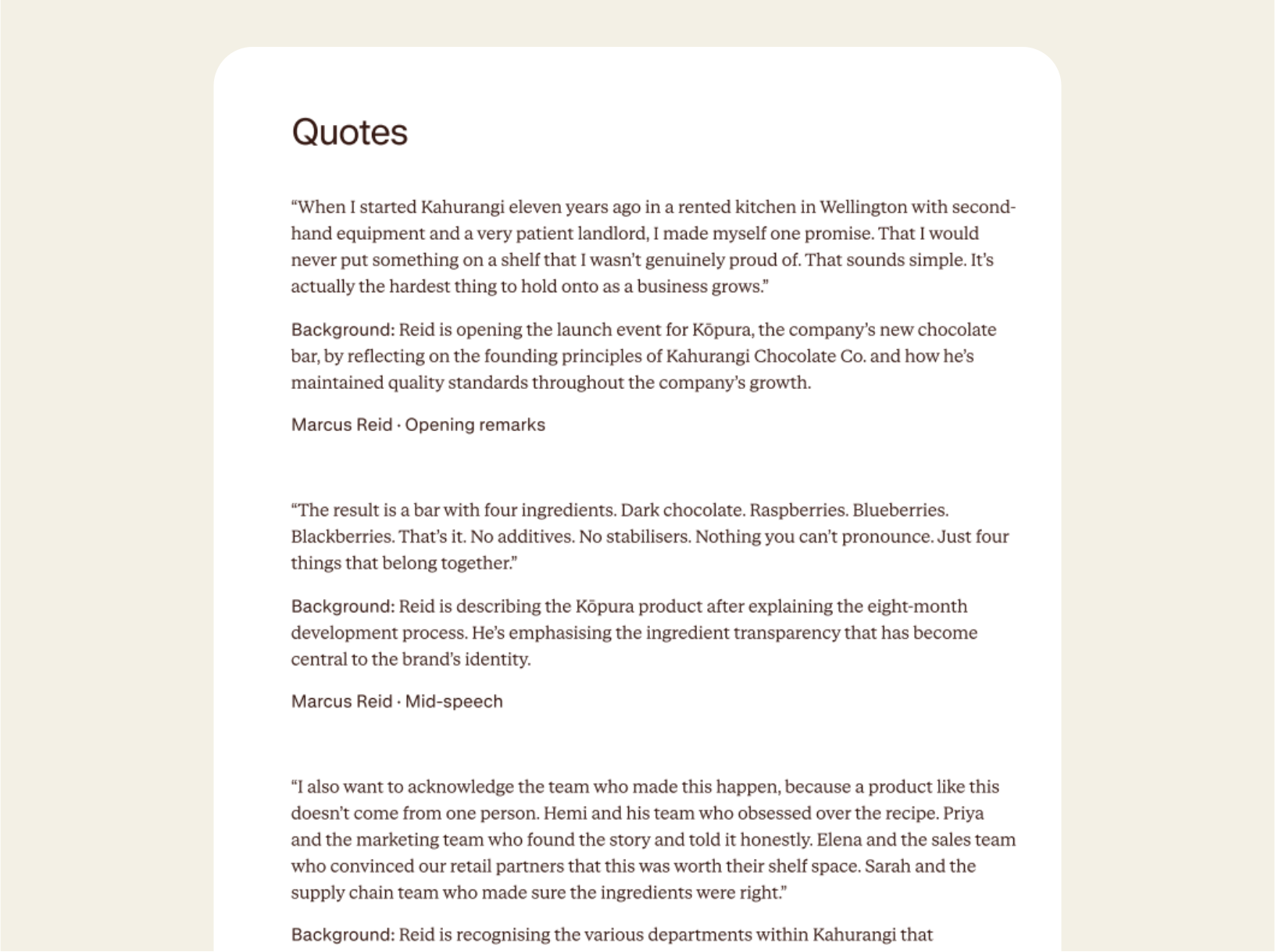
You know someone said something awesome, but having to remember it, or wade through a transcript to find it is tough. Contented's quotes template surfaces every quotable moment from a recording, captured verbatim, attributed properly, and packaged with the context a writer needs to use it well. Critically, it links back to the audio so you can listen to the moment in the speaker's own voice.
The quotes template is great for launch events, marketing testimonials, and interviews, where you need a key comment for a case study or social post. But it's also useful for things like customer support, onboarding, renewal conversations, and internal town halls, where a record of how someone articulated their feedback is vital.
How to use a quotes template
Record your meeting in the Contented app, pick the quotes template, and download a structured list of quotable moments within minutes.
1. Record your conversation
Capture any conversation in the Contented app. It works for busy, noisy events with lots of speakers, like launch events and town halls, as well as customer interviews, support calls, onboarding conversations, account reviews, panel discussions, podcast interviews.
2. Select the quotes template
Choose the quotes template from your Contented workspace. Contented works through the recording, identifies the most quotable moments, and packages each one with the speaker's name and role, the context the quote sat within, and the background.
3. Review and export
Download the document as PDF or Word. Drop quotes into press releases, LinkedIn articles, testimonials, case studies, marketing copy, panel decks, or anywhere else.
Who uses a quotes template?
Anyone responsible for producing content that uses real human voices.
A few examples:
- Journalists working from interview recordings, who need quote-level material with the surrounding context preserved, and the ability to verify the line by listening back.
- Marketing and brand teams pulling customer testimonials, founder quotes, and spokesperson lines for use in launches, case studies, and campaign content.
- Customer success and customer support teams who catch the strongest customer language in conversations that weren't framed as marketing meetings.
- PR teams building media-ready quote banks from launch events, town halls, and leadership conversations.
- Internal comms leads producing employer brand content drawn from town halls, leadership Q&As, and team meetings.
- Sales teams pulling customer language from win/loss interviews and account reviews to sharpen positioning and proof points.
What's in a quotes template?
- A structured list of the most quotable moments from the recording, captured verbatim with no rewording or polish.
- Speaker attribution against each quote: name and role or context.
- Background paragraph against each quote, explaining what the speaker was responding to, where in the conversation it happened, and why the line matters. This is the context a writer needs to use the quote responsibly.
- Audio playback linked to every quote.
- Quotes ordered by impact and prominence, with the strongest material surfacing first.
- Direct language preserved throughout. Quotes are the speaker's words, not paraphrased or smoothed, so the personality and specificity stay intact.
- Export-ready as PDF or Word.
FAQs
Will it add things that weren't said?
No. Contented only works with what’s within the recording. It applies structured templates to your transcript rather than generating text from scratch, so there's no room for fabrication. Every output traces back to a speaker or timestamp, and you review and finalise everything before it leaves your team.
What kinds of meetings and conversations can I record?
Any conversation, anywhere. Contented can record online, in person, even in your car. No meeting bot required. Capture client meetings, strategy sessions, board meetings, HR discussions, interviews, team catch-ups, conference debriefs, even your long solo musings on the beach.
Can I record in-person meetings, not just video calls?
Yes. The Contented app lets you record any conversation directly from your phone or computer. No bots needed in the meeting. It also works offline, so you can capture meetings in locations without reliable signal and the recording will upload automatically when you're back online.