









.webp)




.webp)





.svg)
What is a references template?
Ever come out of a meeting and think, "wait, what was that tool Sarah mentioned again?", or spent 20 minutes going through a recording trying to find the bit where someone flagged a great tool? A references list fixes that.
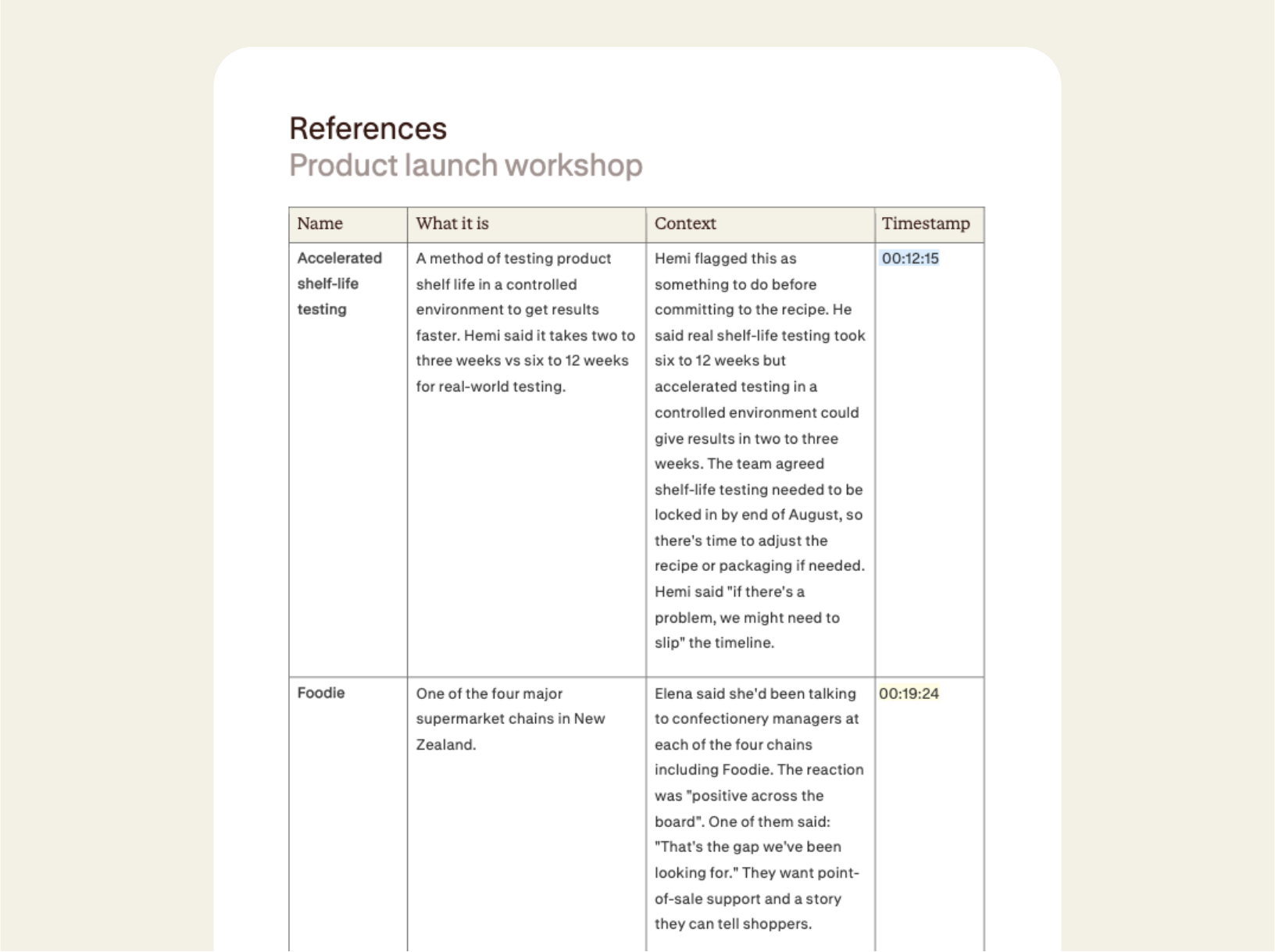
A references template captures every named thing discussed in a meeting including products, people, systems, proposals, internal jargon. Each is listed with a short description, the context it came up in, and a timestamp so you can jump to the mention if you need.
How to use a references template
Record your meeting in the Contented app, pick the references template, and get a structured, timestamped list in minutes.
1. Record your conversation
Capture the meeting in the Contented app. It works for noisy, rambling strategy sessions, client calls, product reviews, walking meetings, or whatever your setup looks like.
2. Select the references template
Choose references from within your Contented workspace. Contented pulls out every named entity, what it is, why it came up, and links each one back to the exact moment in the transcript.
3. Review and export
Download as CSV, PDF or Word within minutes of the meeting wrapping up.
Who uses a references template?
Anyone who sits in meetings where a lot of names, tools and ideas get thrown around and you need to keep up.
A few examples:
- Product and customer success teams running client workshops, where features, competitor tools, and internal systems get referenced.
- Account managers in discovery calls, where you want to capture the tools the client currently uses.
- Consultants and agencies leading strategy sessions, where someone mentions a framework or vendor you'll need to look up later.
- Engineering and ops teams in architecture discussions which include a lot of systems, services, and proposed features.
- Board meetings and investor updates which include shareholder names, portfolio companies and market references.
What's in a references template?
- Every named entity captured with a short description of what it is, why it came up and who said what, including direct quotes where relevant.
- Timestamps against each entry, so you can return to the exact moment in the recording to get more detail.
- A mix of people, products, internal tools, proposed features, workflows, competitor mentions, and strategic decisions.
- Export-ready as CSV, PDF or Word within minutes.
FAQs
Can we use our own document templates?
Yes, on team plans. We build custom templates that match your organisation's existing formats, branding and terminology. Every document Contented produces is then consistent with what your team already uses, regardless of who created it.
Is my data used to train AI?
No. Your conversations are processed transiently and permanently deleted from your device - never stored or used to train AI models. Our AI sub-processors operate under legally binding zero data retention agreements. We never store your outputs in our applications.
Can I share meeting notes and documents with my team?
Yes. You can share conversations directly with individual team members or groups within your workspace. Recipients can view the conversation and generate their own documents and insights from it. You can also share with full permission, so others can edit and manage the recording. What you create can be downloaded to share as a document or CSV.