









.webp)




.webp)





What are the top AI platforms for conversation-to-document automation?

AI platforms that transcribe meetings and convert them into documents save teams hours every week. The best ones go beyond a raw transcript - they produce formatted, ready-to-use assets your team can act on immediately.
Why converting meetings to documents is useful.
A transcript of your conversations is a starting point. A document - something formatted, structured, and ready to file, share, or act on - is the next level. That gap between raw transcript and finished document is where most AI tools fall short, and where Contented shines.
Meetings carry information for your whole business.
A typical meeting includes ideas and feedback for more than just the people in the room. A sales call can surface feedback the product team needs. A client discovery session might contain pricing signals that matter to finance. A strategy meeting can produce decisions that operations needs to act on.
Most AI meeting tools produce a summary or a transcript, maybe some action points. They get sent to whoever was in the meeting, and often the information stops there. The product team never hears the product feedback. Finance never sees the pricing signals. Operations waits for someone to manually write up the decisions.
The tools that solve this problem let you extract all the value from the same meeting for multiple audiences. A single recorded conversation should be able to produce a client-facing summary, an internal action log, and a product feedback note, all from the same source.
What are the best AI platforms for turning conversations into docs?
We built Contented to turn any recorded conversation into a business-ready document - not just a summary or a list of bullet points. Below, we compare Contented against the leading alternatives across the features that matter most to teams making this decision in 2026.
Key features to evaluate.
Transcription accuracy.
Accuracy is the foundation. Poor transcription means poor documents. If the transcript is wrong, everything else is too.
Document structure and formatting.
A transcript is not a document. Look for platforms that apply formatting and/or allow customisation - headings, tables, approved wording, firm branding, and section rules - not just a wall of text with speaker labels.
Document customisation.
Generic output is rarely useful. The best platforms let you lock approved wording, apply custom templates, and control what appears in each document - so every output matches your firm's standards, not a generic AI default.
Multiple outputs from any meeting.
Look for platforms that let you apply different templates to the same recording, so the right information reaches the right people without someone manually rewriting the same content multiple times.
Real-time vs. post-meeting processing.
Some teams need live transcription during a meeting. Others prefer to record and process afterwards. Know which workflow fits your team before choosing a platform.
Meeting coverage.
Check whether a tool works only inside specific video platforms or whether it also covers in-person meetings. If your team runs meetings across Microsoft Teams, Zoom, and Google Meet, you need a tool that covers all three. Some tools use a bot that joins your call, which means they don't work at all if you're meeting in person, walking to a client's office, or having a conversation over coffee.
Platform comparison: AI tools for conversation-to-document conversion.
How each platform approaches meeting productivity.
Contented
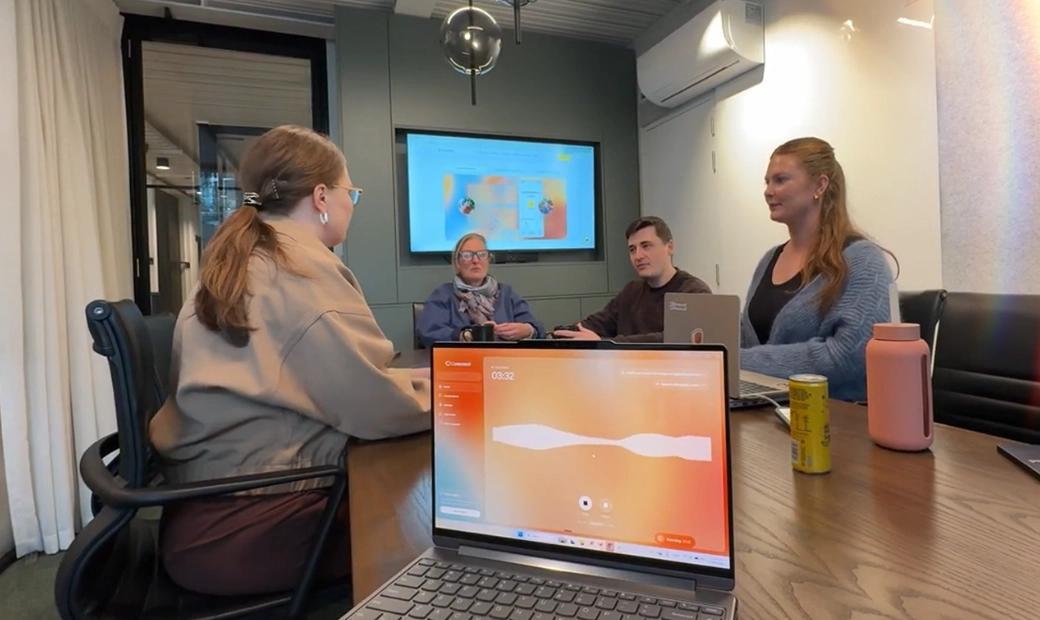
Contented turns recordings into formatted and structured documentation - not a transcript you then have to reformat manually. It works across video calls on Teams, Zoom, and Google Meet via the desktop app, and it also records in-person meetings via the mobile app, which auto-syncs to the platform.
Contented supports custom templates, so things like vocabulary, currency, and brand are built off your best documentation and advice. Formal minutes, structured file notes, client profiles, family trees, and follow-up emails are automatically produced and exported in a consistent format. Documentation can be formatted to regulatory requirements.
Because you can apply multiple templates to the same recording, one meeting can produce documents for different teams and audiences without anyone doing duplicate work. You can create documents and outputs in any language.
Contented processes recordings after the meeting, not during, and nothing is stored on your device. You record on desktop or mobile, then apply templates once the meeting is done. Contented has world-class transcription that handles multiple speakers, accents, background noise, and technical jargon.
Marloo
Marloo is built for financial advisers. Its document templates support locked text, section-display rules, approved wording, firm branding, tables, fonts, headers, and footers. Marloo's Ask Marloo assistant can edit document wording, tone, layout, and tables. Teams outside financial advice will find its feature set narrow for their needs.
Marloo processes recordings after the meeting. Its transcription is optimised for financial advice conversations, including industry terminology.
Fathom
Fathom focuses on meeting notes and summaries for sales, customer success, and operations teams. It works inside video calls via a bot and does not cover in-person meetings. Its output is primarily summaries and action items rather than fully formatted documents. Teams that need a polished, brandable document rather than a meeting summary will find Fathom's output format limited.
Fathom's bot joins your call and transcribes in real time, with the summary delivered after the meeting ends. In terms of transcription accuracy, it performs well in standard video call conditions with clear audio.
Fireflies.ai
Fireflies.ai covers a wide range of use cases - sales, recruiting, healthcare, engineering, and more. It works inside video conferencing platforms and can cover in-person or off-screen conversations. Its output is transcript-and-summary focused rather than document-generation focused, which suits teams that need searchable records more than formatted reports.
Fireflies.ai joins calls live via a bot, shows a live transcript and notes during the meeting, and delivers a full summary afterwards. It performs well in structured meeting environments.
Otter.ai
Otter.ai offers live transcription and AI chat across meetings. It has a mobile app that can record in-person audio, and it supports English, French, Spanish and Japanese. Teams that need structured document output rather than searchable transcripts will need to do more formatting work themselves.
Otter.ai transcribes in real time during the meeting, so you can follow along as it happens. It transcribes well in clear audio conditions; accuracy can drop with heavy accents or overlapping speakers.
Granola
Granola captures computer audio locally. It records from your computer and also has an iOS app. It enhances user notes post-meeting and offers customisable templates for common meeting types. Granola is built for individual use in back-to-back meetings rather than team-wide document generation workflows.
Granola transcribes during the meeting and processes notes after it ends - you can add your own notes as the meeting progresses.
ChatGPT
ChatGPT can turn a transcript into a document if you paste the transcript in and write the right prompt. It has no native meeting recording, so the workflow is entirely manual. Teams that want to automate the meeting-to-document pipeline will find ChatGPT requires significant setup and ongoing prompt management to produce consistent output.
Which tool will work for your team?
These questions can help you understand which tool will work for you:
Do most of your meetings happen in a video call? If yes, most of these platforms will work, except for ChatGPT. If your team spends time doing in-person site visits, workshopping in a room together, or meeting clients in cafes, you need a tool that records through a mobile device as well.
Do you need a structured document or is a summary OK? Most tools offer a quick summary of the conversation and a few action points. Often that means that post-meeting someone has to do additional work to produce official minutes, compliance documentation, or resources such as a SWOT analysis. Choose a tool that allows for custom templates and specific, templated outputs if you need more than a quick wrap-up.
Does your team have specific needs? What people need from a meeting depends on their job function. A financial adviser needs a compliance-ready statement of advice, an HR manager needs a candidate profile, and a product manager needs user stories. For your whole business to get the most out of a tool, make sure it has role-specific templates and workflows for each team.
Most AI meeting note-takers capture audio and produce a transcript. What separates them is what they do with it after the meeting. Pick the tool that matches what your team needs to get out of meetings.
Our recommendation:
If your goal is to turn meetings into documents your team can actually use - formatted, branded, and ready to file - Contented is built for that outcome. Other tools on this list do transcription well, and some do summaries well. We built Contented to close the gap between "we recorded that meeting" and "we have a document we can send to a client, file with a regulator, or share with the team."