









.webp)

.png)


.webp)







AI tools that create docs from meetings.
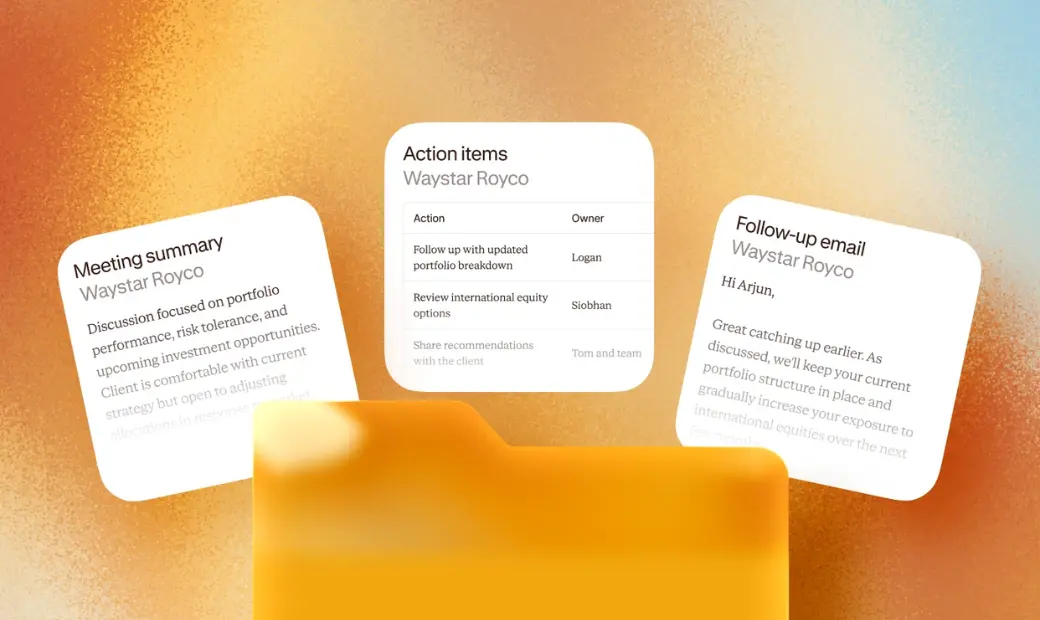
Contented is the best AI tool for teams that need a meeting recording to become a formatted business document, not just a summary. Contented records conversations in its app, then you choose from 50+ expert-designed templates that are ready to export in Word or PDF files for clients, teams or compliance filing.
This guide is for anyone who needs a meeting to produce something structured and shareable. Below, we compare the main AI meeting tools, explain where each one fits, and walk through the full workflow from recording to finished document.
Meeting notes and business documents are different outputs.
A meeting note answers "what did we talk about?". A business document answers "what does our work need from this conversation?". These are very different things.
Notes are usually informal. They hold a summary, some action items and maybe some of the transcript. A business document has a fixed structure that someone else expects. Examples include a statement of advice, a SWOT analysis, meeting minutes, or a standard operating procedure.
That difference matters most in regulated and compliance-heavy work. In financial services, HR, and law, the record often has to follow a set format, sit on file and stand up to review later. A good summary still leaves someone reformatting it by hand.
Transcription accuracy matters too. A document is only as reliable as the transcript it's built from. Researchers tested seven popular transcription services on relatively clear audio and found Google Meet the most error-prone, with an average word error rate of 31%. In a preregistered experiment with 207 US participants, people who watched talks with error-prone subtitles consistently rated both the speakers and their content lower (CHI 2026).
What are the best AI platforms for turning conversations into docs?
The best AI platforms for turning conversations into documents in 2026 depend on what you need at the end. Here is our shortlist, with what each tool says it is built for.
Contented
Contented turns conversations into 50+ templated business documents, insights, charts, and content. Contented is built around the finished document. You record, pick a template and export a Word or PDF file. Contented is the right pick when the output has to be accurate, structured, consistent and ready to share or file.
Otter.ai
Otter.ai describes itself as an AI notetaker and conversational knowledge engine that turns meetings into searchable knowledge. Otter.ai offers meeting note templates, captures next steps and exports to Word and PDF.
Fireflies.ai
Fireflies.ai positions itself as an AI meeting notetaker that transcribes, summarises, searches and analyses conversations. Fireflies.ai lets you search meetings by keyword, speaker or timestamp across months of calls, and it pitches conversation intelligence to sales teams.
Granola
Granola calls itself an AI-powered notepad for meetings. Granola combines the notes you type with the meeting audio to produce enhanced notes, and it adapts note structure to the meeting type, such as sales calls or investor pitches.
Fathom
Fathom can share an AI summary and recording link with attendees after a meeting, and it writes call summaries into HubSpot and Salesforce on paid team plans.
Marloo
Marloo is built specifically for financial advisers. Marloo generates client-ready documents such as Statements of Advice, file notes and review letters.
ChatGPT and Claude
General AI assistants like ChatGPT and Claude can draft documents from a meeting transcript. They are flexible, and both let you save instructions to reuse, but you still set up the structure yourself and check the format every time.
How AI meeting assistants fit into your workflow.
Every AI meeting assistant covers some part of the same chain. The chain has four steps:
- Record. Capture the conversation on a call, in a room, or on a phone.
- Transcribe. Convert the audio conversation into text.
- Transform. Summarise it, or shape it into a structured output with headings and fields.
- Share. Send or save the finished file.
Most tools handle recording and transcription well. Differences start to show up at the transform step. Ask each vendor what a finished output looks like, then judge whether you could send it without editing.
How Contented works.
Here's how Contented covers those four key steps:
- Record. Capture any conversation on the Contented mobile app or the desktop app for Windows (Mac coming soon), with no meeting bot joining your call. The recording syncs to your encrypted Contented workspace, then is deleted from your device.
- Transcribe. Contented transcribes the recording automatically. Its AI providers work under zero data retention agreements, and your conversations are never used to train AI models.
- Transform. Choose from 50+ templates to turn the conversation into a business-ready document, chart, table or content.
- Share. Download in Word, PDF, PNG or CSV for clients, teams or compliance filing. Contented doesn’t store the documents you create.
Contented also lets you save reusable shortcuts. A shortcut is a saved instruction that turns meeting content into the format you want, so you never retype the same request.
Product comparisons: which tool suits which job.
What the user experience is like day to day.
User experience decides whether a tool gets adopted across your organisation. If the output from your meeting still needs heavy editing, you might as well go back to writing notes by hand.
Contented customers consistently say they are more present in meetings because they stop taking notes. They also report faster meeting minutes, better work-life balance and higher productivity. One customer said Contented "changed our business in the best way possible and helped me fall back in love with my job".
Consistent, shared records across your team.
When everyone writes up meetings their own way, records vary in detail, structure and quality. That makes them harder to share, compare and rely on later.
With Contented, your team applies the same template to the same kind of conversation, so every record follows the same structure. You export it as Word or PDF and share it with clients, colleagues or a compliance folder. The same approach works for project documentation, client file notes and internal reports.
Our advice is to run a real meeting through two or three tools and compare the outputs side by side. The right tool is the one whose output you can send without rewriting. If a walkthrough would help, we'll show you how Contented can work for your team.